A shadcn/ui HR dashboard app you install with one command
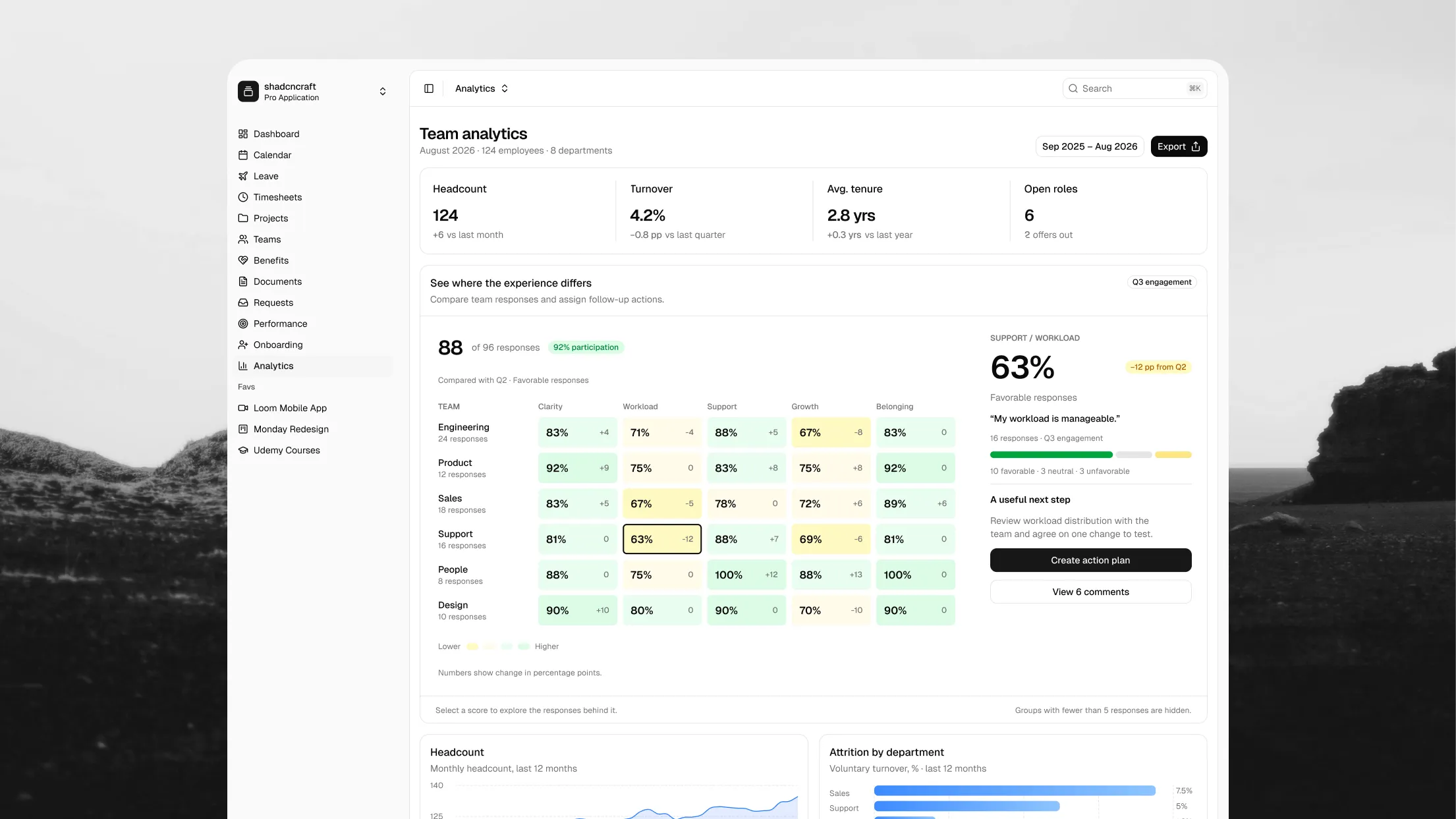
The HR Dashboard is here: a complete shadcn/ui HR app for Next.js with 14 screens, built from 46 reusable React blocks and matched 1:1 with Figma.
It's also the first app that lives inside the shadcncraft registry. Install the whole app with one command, or pick the blocks you need.
Explore the HR Dashboard or open the live app.
Everything an HR team works in
The app covers a day at work and the people operations behind it:
- Personal and team dashboards: your schedule, a running time tracker, the current project, notes, kudos, and a queue of approvals waiting on you.
- Time and leave: a week, day, and month calendar, leave balances and requests, team absences, and a weekly timesheet with approvals.
- People: a teams table, an org chart, a people directory, and an employee profile with job history and ratings.
- Growth and benefits: review cycles, a nine-box talent grid, 1:1 agendas, courses, and benefit plans.
- Onboarding and analytics: new hires and day-one setup, plus headcount, attrition, tenure, absence rate, and an engagement heatmap.
Every screen ships with realistic sample data and handles loading, empty, and error states, so you can see how each view behaves before you connect your own data.
Install the app with one command
The HR Dashboard installs from the shadcncraft registry like any other block:
$ pnpm dlx shadcn@latest add @shadcncraft/hr-dashboard-1
Its routes land under app/hr, so the app sits at /hr beside your existing pages. Navigation, the app shell, and every block come with it, already wired together. From there it's your code: rename screens, change the sidebar, and connect each block to your API.
46 shadcn/ui blocks you can use on their own
Every card, table, and chart in the app is a block you can install separately. Use a few in an existing product, or assemble a different HR tool from them:
- Tables: requests, leave history, documents, benefits, projects, teams, new hires, and performance reviews. Most include sorting, search, column controls, and row selection.
- Time: time tracker, timesheet, project time log, top apps, and team activity.
- People: org chart, people directory, employee profile details, job timeline, celebrations, and employee spotlight.
- Performance: review cycle, talent grid, employee rating, team pulse, and 1:1 agenda.
- Insights: headcount, attrition by department, tenure distribution, gender split, and absence rate charts.
Browse all HR Dashboard blocks.
Matching Figma designs and React code
Every screen and block was designed in Figma and built in React with a 1:1 match. Designers can explore and adapt layouts in Figma, and developers install the same views in code, so both sides work from one reference.
Built on shadcn/ui and Next.js
The app uses Next.js and shadcn/ui, so you work with familiar React components and your own theme. Every block adapts from desktop down to mobile and follows the shadcn style you have set up. The app's charts use shadcn's blue chart palette, while blocks installed on their own pick up your theme's chart colors.
New to the stack? Our shadcn/ui guide explains the component model, and the Figma UI kit gives designers the matching foundation.
Start with the app. Make it yours.
Install the full HR Dashboard as your starting point, or build your own people tool from its 46 blocks.