AI Chat: a complete shadcn/ui app for Next.js
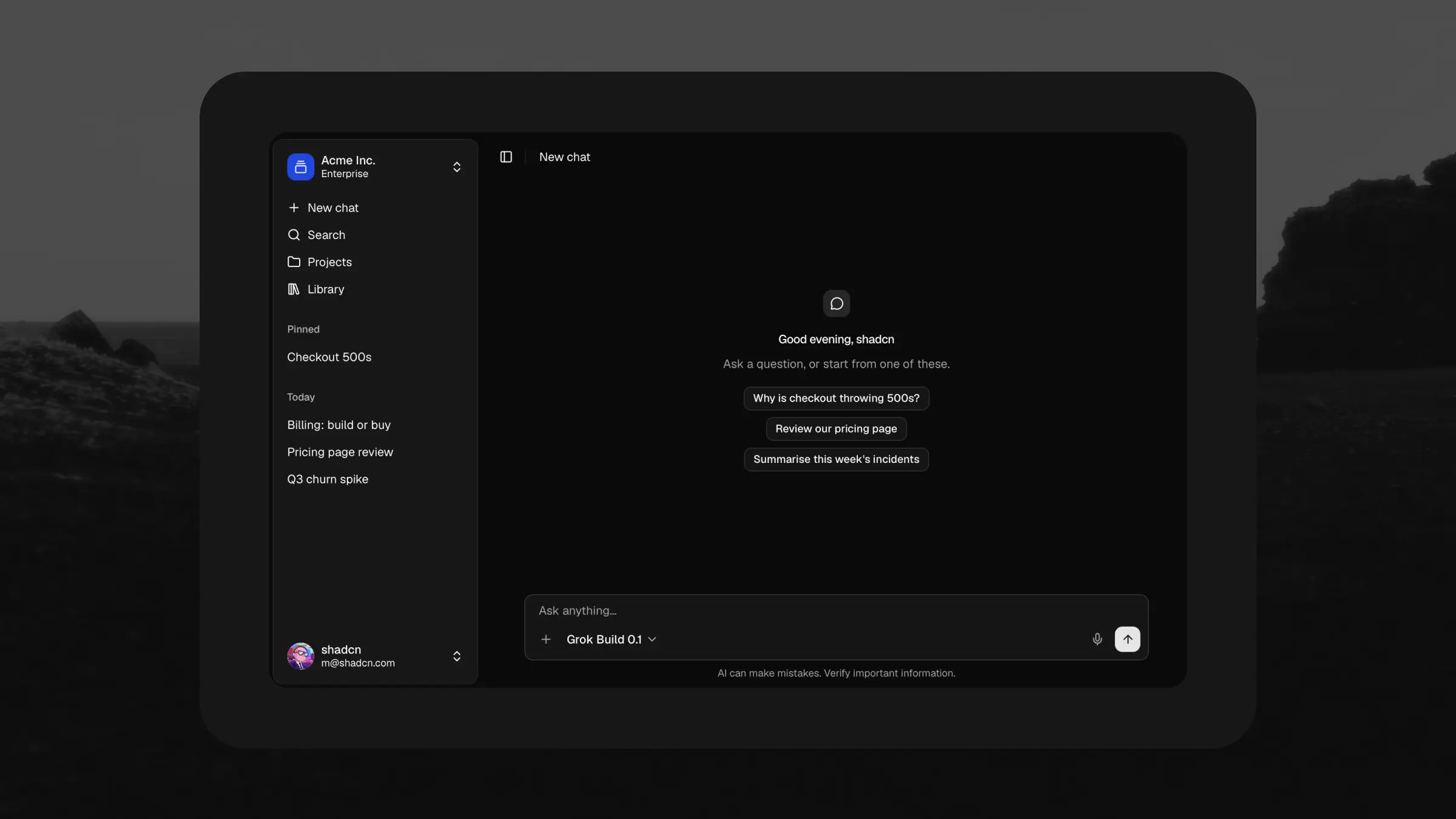
AI Chat is our biggest release in a long time. It's a complete AI chat application built with Next.js, shadcn/ui, and the Vercel AI SDK, and we spent weeks crafting every detail and interaction.
You can open the live app right now. It's the exact app you download, deployed unmodified in demo mode. Press d inside it to flip the theme.
A working app out of the box
Clone it and it streams demo conversations with reasoning, tool calls, citations, and attachments through the exact same code a live model uses. No setup required.
When you're ready to go live, set one environment variable, AI_GATEWAY_API_KEY, and you're talking to Claude, GPT, and Grok through the Vercel AI Gateway. Nothing else changes.
Storage sits behind one small ChatStore interface. Point it at your database and the UI never notices.
Every kind of reply, designed
Each response type gets its own polished component, loading and error states included.
- Streaming markdown. Text stays cleanly formatted while it streams in. Code blocks come highlighted and copyable.
- Reasoning. Thinking shows as a collapsible summary while it runs, then tucks away under the answer.
- Tool calls. Running, done, failed, and denied: every state has a designed treatment.
- Web search and citations. Sources merge into one tidy list per answer, with unsafe links filtered out.
- Attachments. Files arrive by picker, drag, or paste. Images preview inline.
- Questionnaire forms. The assistant can ask questions through a multi-step form right inside the chat.
More product than chat box
Every screen around the conversation is built too.
Thread history is grouped by recency, with pinning, inline rename, and confirm-first deletes. A ⌘K command palette jumps to any thread, or straight to New chat, Projects, and Library. Dictation lets you speak instead of type, with a live waveform in the composer.
Projects group chats under shared instructions and sources. The library puts every file in one place, linked back to the conversation it came from. Share a thread as private, team, or public, with the link one click away.
The whole app is accessible by construction: labeled controls, full keyboard navigation, and screen reader announcements throughout.
Or just add the assistant
You don't need the whole app. The assistant panel installs on its own and docks the same chat beside the product you already have, opened from an Ask AI button or a shortcut.
Ship it whole, or install the blocks
AI Chat is built from registry blocks: chat, composer, chat shell, assistant panel, and share dialog. Install any of them into your own app with the shadcn CLI, in any of the eight styles and five icon libraries. Every reply component ships on its own too, in the registry.
How to get it
AI Chat is included in Pro React and Pro Figma + React bundles. If you own one, it's already in your Polar portal. Everyone else can compare bundles.
Figma version coming very soon.
Questions? Get support or find us on Discord.